In the digital age, traditional cable and satellite TV services are rapidly being replaced by more flexible and often more affordable streaming options. One of the most popular alternatives is IPTV, or Internet Protocol Television. If you’ve heard the term but aren’t exactly sure what it means, or if you’re curious about using it with devices like the Amazon Firestick, this guide is for you.
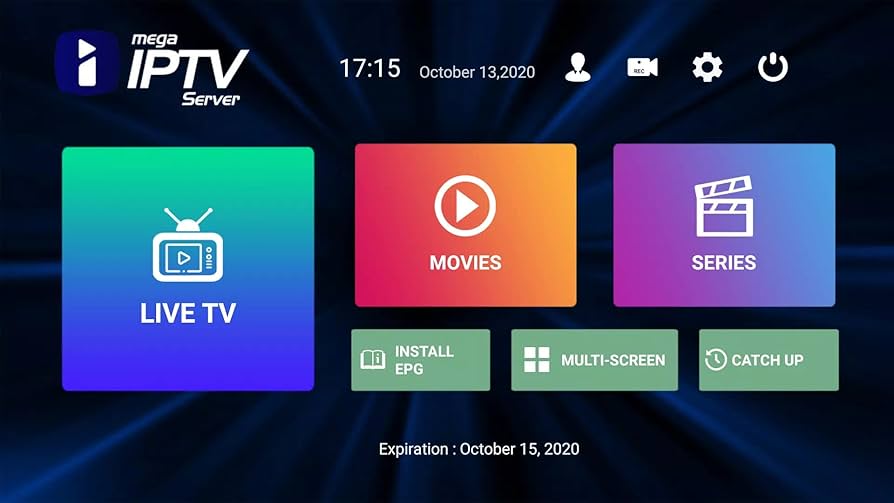
What Is IPTV?
IPTV stands for Internet Protocol Television, which essentially means television content delivered via the internet rather than through traditional terrestrial, satellite, or cable formats. Instead of broadcasting shows as scheduled programs, IPTV delivers video content via internet protocols. This allows for much greater flexibility, interactivity, and accessibility.
There are three primary types of IPTV services:
- Live Television – Streaming of live TV channels.
- Video on Demand (VOD) – Access to movies and TV shows that you can watch at your convenience.
- Time-Shifted Media – Catch-up TV that lets you watch past episodes of a show aired earlier.
How IPTV Works
IPTV transmits data in packets using the internet, just like websites and other online services. Here’s a simplified breakdown:
- Content is encoded and converted into IP packets.
- These packets are sent through your broadband connection.
- You access the content via an app or media player compatible with IPTV services.
The experience can be similar to Netflix or YouTube, but IPTV may include hundreds or thousands of live channels from around the world.
IPTV and Subscription Requirements
Contrary to some misconceptions, you can only legally use IPTV services with a valid subscription. There are numerous legitimate IPTV providers—such as Hulu + Live TV, Sling TV, YouTube TV, and others—who operate within copyright laws and offer subscriptions for their content.
These subscriptions grant access to copyrighted materials legally, ensuring that both content creators and broadcasters are compensated.
Legal IPTV Services
Services that have proper licensing agreements with content providers are completely legal. Examples include:
- YouTube TV
- Hulu Live TV
- FuboTV
- Sling TV
You can check out the full list of Amazon Prime Channels here.
These platforms operate just like traditional broadcasters, with licensing fees, regional restrictions, and subscriber protections in place.
Illegal IPTV Services
There is a growing market of unauthorized IPTV providers that offer hundreds of channels for a fraction of the cost of legal services. These often include premium channels, sports networks, and pay-per-view events without proper licensing. Using or selling these services is illegal in many jurisdictions and can result in legal consequences such as fines or prosecution.
Warning signs of illegal IPTV services include:
- Offers of “free” premium channels or PPV events.
- Vague contact or payment methods (like Bitcoin or untraceable apps).
- No official website or customer service.
- Extremely low prices that seem too good to be true.
If in doubt, always choose services that are backed by major companies and have transparent business practices.
How to Use IPTV on an Amazon Firestick
The Amazon Firestick is a popular device for streaming IPTV due to its affordability, portability, and user-friendly interface. Here’s how to use IPTV on a Firestick the right way:
Step 1: Get a Valid Subscription
Start by purchasing a subscription from a legitimate IPTV provider. They will typically give you:
- A login username and password
- An M3U URL or portal URL
- Instructions or supported apps
Step 2: Install an IPTV App
You’ll need an app that supports IPTV streams. Popular options include:
- TiviMate
- IPTV Smarters Pro
- Perfect Player
- Smart IPTV
These are not IPTV services themselves, but rather media players that let you use your subscription to view content.
To install one:
- From the Firestick home screen, go to Settings > My Fire TV > Developer Options and enable Apps from Unknown Sources.
- Download the Downloader app from the Amazon Appstore.
- Use Downloader to install your chosen IPTV app by entering the app’s APK URL.
Step 3: Configure the App
After installation:
- Open the IPTV app.
- Enter your subscription credentials or upload your M3U file.
- The app will fetch your channels and EPG (Electronic Program Guide).
- Browse and stream your channels just like regular TV.
Conclusion
IPTV is revolutionizing how we consume television, offering unmatched flexibility and content variety. However, it’s crucial to use IPTV legally and ethically by subscribing to licensed services. Illegal IPTV operations not only harm the entertainment industry but can also put you at legal and security risk.
Using a device like the Amazon Firestick makes IPTV even more accessible, provided you use trusted sources and reliable apps. When done right, IPTV can be an excellent, cost-effective alternative to cable or satellite TV.
🔐 Bonus Tip: Use a VPN
We strongly recommend using a trusted VPN like Fastest VPN or Nord VPN when using these apps. This helps protect your identity and prevents ISP throttling.
Final Thoughts
With Developer Mode enabled and these top Downloader codes, your Firestick transforms into a powerhouse streaming device. Whether you’re after live sports, blockbuster movies, or binge-worthy shows, there’s something on this list for everyone.
🧠 Pro Tip: Bookmark this post to stay updated—Downloader codes change frequently, and we’ll update this list as new apps rise in popularity.
📜 Legal Disclaimer
The content provided on this website is for educational and informational purposes only. We do not host, distribute, or promote any illegal content or third-party applications that violate copyright laws or Amazon’s terms of service.
Enabling Developer Mode on your Amazon Firestick is a built-in feature provided by Amazon for developers and advanced users. Our guides are designed to show you how to access this feature legally and responsibly. We do not encourage or endorse the use of Developer Mode for unauthorized access to copyrighted material, digital piracy, or any activity that violates applicable laws or platform terms.
By using this website, you acknowledge and agree that:
- You are solely responsible for how you use the information provided.
- You will comply with all applicable local, state, federal, and international laws.
- You understand that modifying your Firestick may void warranties or violate Amazon’s terms of use.


 Total freedom on your Firestick.
Leave a reply to 10 Best FREE Firestick Live TV APKs May 2025 – Total freedom on your Firestick. Cancel reply