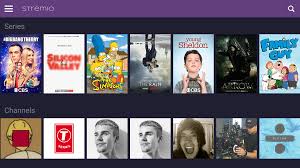
✅ Step 1: Verify Real Debrid Subscription and API Key
Ensure your Real Debrid (RD) subscription is active and correctly integrated with Torrentio. You need to do this online rather than on your Firestick:
- Visit Real Debrid and log in.
- Navigate to My Account > API to locate your API key.
- Go to Torrentio Configuration and input your RD API key.
- Customize your preferences and click Install.
- In Stremio, access the Add-ons section and install the Torrentio package.
If you’re not seeing RD links, consider uninstalling and reinstalling Torrentio, then re-enter your RD API key.
🔄 Step 2: Reinstall Torrentio Add-on
Issues like “No streams found” or missing RD links can often be resolved by reinstalling Torrentio:
- In Stremio, navigate to Add-ons > My Add-ons.
- Locate and uninstall all instances of Torrentio.
- Reinstall Torrentio via Torrentio Configuration, ensuring you input your RD API key.
- After installation, restart Stremio and test streaming content.
This process can refresh the add-on and resolve many common issues.
🌐 Step 3: Use a VPN to Bypass ISP Restrictions
If you’re not receiving any links or experiencing buffering, your Internet Service Provider (ISP) might be blocking access to torrent sources:
- Install a reputable VPN on your device like Fastest VPN or Nord VPN.
- Connect to a server in a different region.
- Restart Stremio and attempt to stream content again.
Using a VPN can help bypass ISP restrictions and improve streaming performance.
🛠️ Step 4: Clear Cache and Update Stremio
Performance issues can often be resolved by clearing the app cache and ensuring Stremio is up to date:
- Go to Settings > Applications > Manage Installed Applications > Stremio.
- Select Clear Cache and Clear Data.
- Uninstall and then reinstall Stremio to ensure you have the latest version.
This can help resolve issues related to outdated data or corrupted files.
🧪 Step 5: Test with Alternative Add-ons
If Torrentio continues to have issues, consider using alternative add-ons like MediaFusion or Orion:
- Install the alternative add-on from the Stremio add-on catalog.
- Configure it with your RD API key if required.
- Test streaming content to see if the issue persists.
Using alternative add-ons can help determine if the issue is specific to Torrentio.
🔁 Step 6: Sync Add-ons Across Devices
If you’ve set up Torrentio on another device, ensure your Firestick is synced:
- Open Stremio on your Firestick and log in to your account.
- Navigate to Add-ons > My Add-ons.
- Ensure Torrentio is listed and active.
- If not, install it via the Torrentio Configuration page.
Syncing ensures consistent performance across all your devices.
⚠️ Step 7: Check for Torrentio Downtime
Occasionally, Torrentio’s servers may experience downtime:
- Attempt to access torrentio.strem.fun in a browser.
- If the site is unreachable, wait for some time and try again later.
Server downtime can temporarily affect streaming capabilities.
📜 Legal Disclaimer
The content provided on this website is for educational and informational purposes only. We do not host, distribute, or promote any illegal content or third-party applications that violate copyright laws or Amazon’s terms of service.
Enabling Developer Mode on your Amazon Firestick is a built-in feature provided by Amazon for developers and advanced users. Our guides are designed to show you how to access this feature legally and responsibly. We do not encourage or endorse the use of Developer Mode for unauthorized access to copyrighted material, digital piracy, or any activity that violates applicable laws or platform terms.
By using this website, you acknowledge and agree that:
- You are solely responsible for how you use the information provided.
- You will comply with all applicable local, state, federal, and international laws.
- You understand that modifying your Firestick may void warranties or violate Amazon’s terms of use.
We strongly recommend using a trusted VPN like Fastest VPN or Nord VPN and only installing trusted applications from reliable sources. This site assumes no liability for any legal issues, technical problems, or consequences resulting from your use of Developer Mode or any third-party applications mentioned.
If you do not agree with this disclaimer, please refrain from using this website.


 Total freedom on your Firestick.
Leave a reply to 10 Best FREE Firestick Movie Downloader Codes May 2025 – Total freedom on your Firestick. Cancel reply